On the Security screen, from the icon on the score card
At a glance
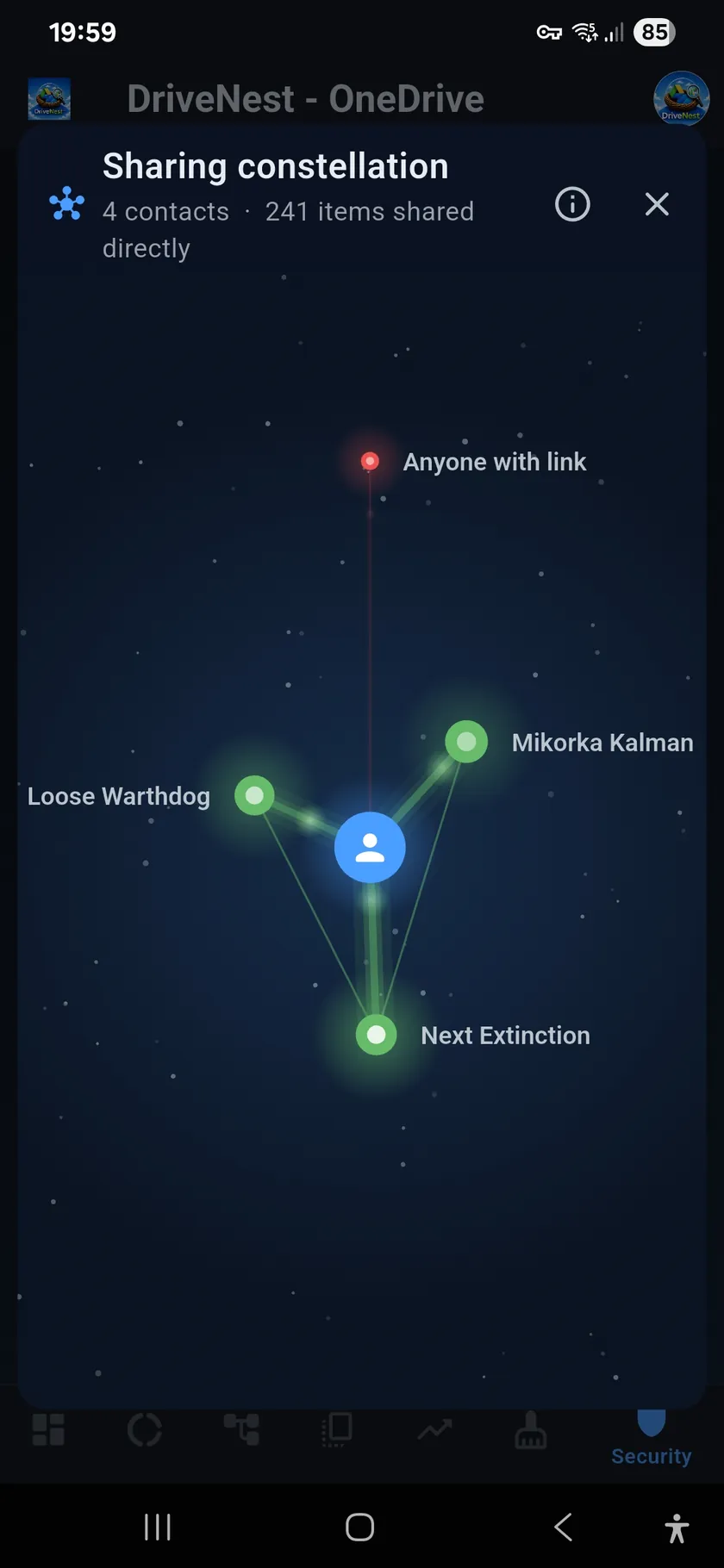
Everyone you share with, in 3D. You are at the centre of a slowly turning disk, and each star is someone you
share with directly, in the colour of their email domain. The nearer and larger a star, the more items that
person was given. The higher it stands on its pillar of light, the more they can open, with the files inside
shared folders counted.
Moving around. One finger moves the sky; two fingers zoom, turn and tilt it, and left
alone it turns slowly by itself. Tap a star, a bridge or a moon for its card.
Here is what each part means.
The sky
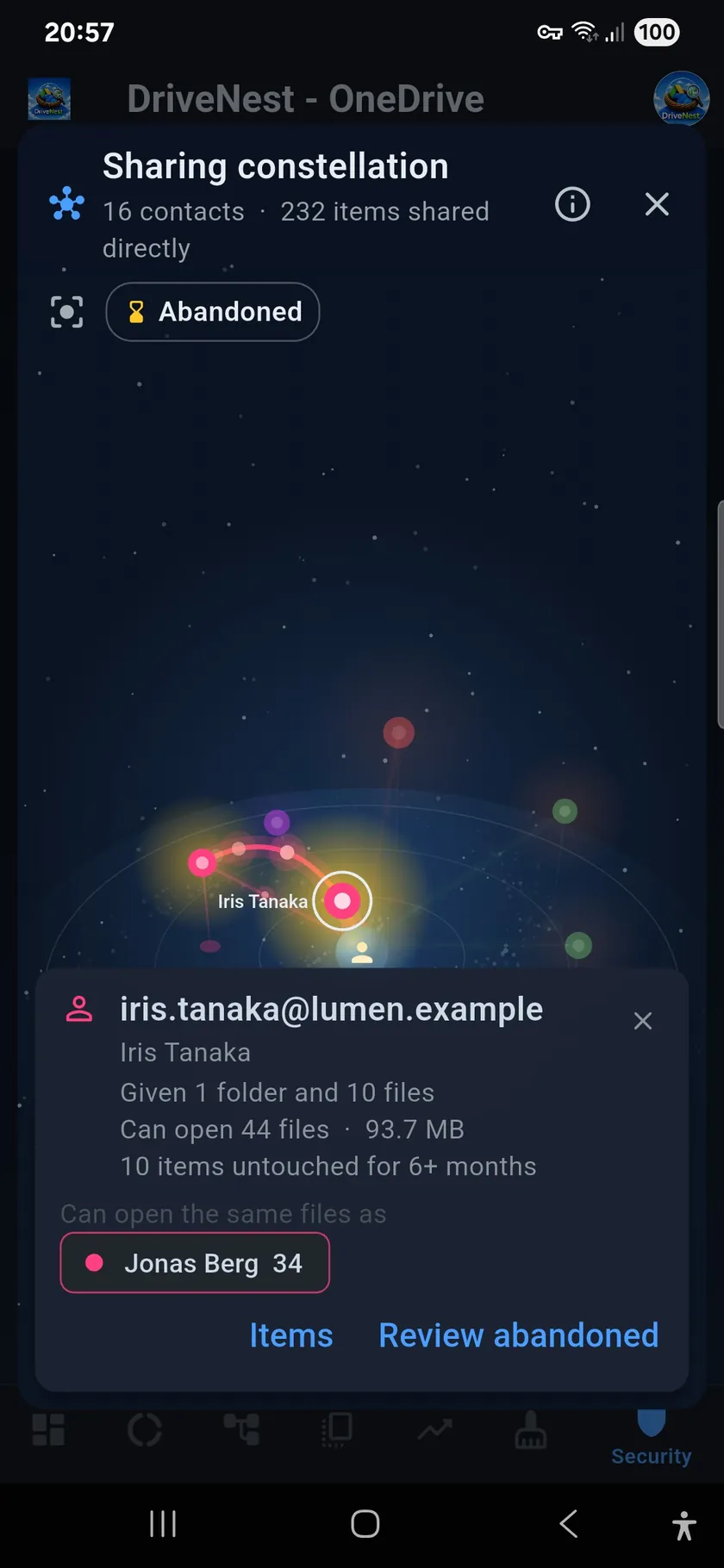
A contact’s card
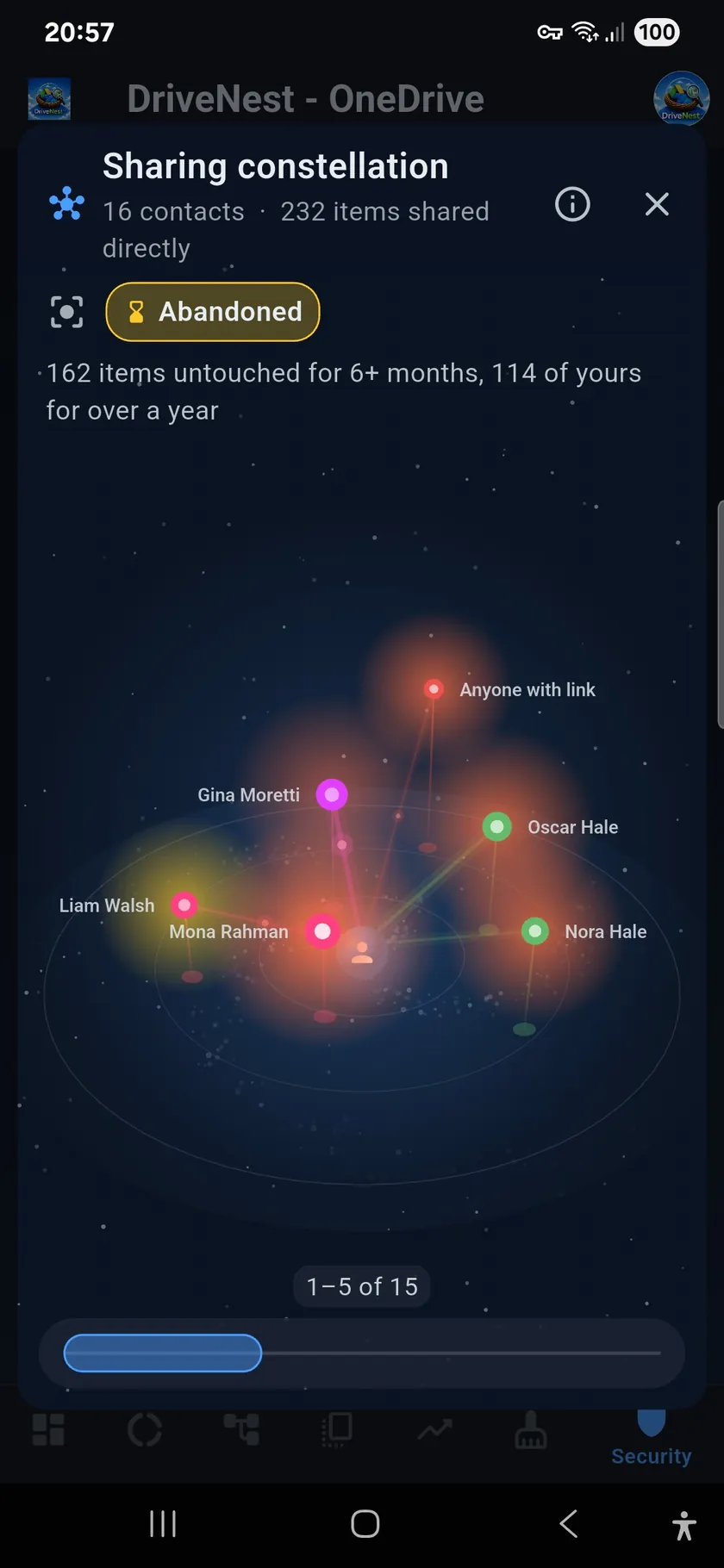
The Abandoned view
Preview on a OneDrive test account, with sample sharing data. The sky stays dark in the light theme too.
2:31 · Sharing Constellation, on sample sharing data.
Hosted on YouTube. Nothing is loaded from YouTube until you press play; then it plays here in YouTube’s privacy-enhanced mode (Privacy Policy, 9.4).
The Sharing Constellation in detail
What each part does, what it is for and what data it uses. All of this describes DriveNest 2.2, which is
not out yet.
What it is for
Lists of shared files and contacts tell you who has access to what. What they do not make easy to see is what
people have in common, how the amounts compare and how everyone is connected. The constellation brings that to
the surface: who has the most, who can open the same files, which groups of people can open files nobody else can, and which shares have simply been forgotten. Then you take away the access you no longer want, and only
that.
What data it uses
The sharing recorded in your latest scan, already stored on your phone: who each file and
folder is shared with, its name, size and dates. DriveNest never reads the contents of your files, and drawing
the sky sends no request to Google Drive or OneDrive.
Given and can open are two different things. What a person was given is what you
shared with them directly. What they can open also counts every file inside the folders you shared.
A file someone can open only through a shared folder counts as something they can open, not as something they were given. The stars appear first, and the bridges and moons follow once it has been worked out who can open what in common.
What is in the sky
Stars
Shows: each person or group you share with directly. Colour is their email domain; nearer and larger means more items given; higher on the pillar of light means more they can open. People who can open a lot of the same files stand side by side.
For: seeing who was given the most and who can open the most.
Card: tap one for the address and name, what they were given, how many files they can open and how large, what is untouched, and who can open the same files.
Spokes
Shows: one from you to every contact, brighter the more they can open.
For: the quickest way to one person’s items. Tap one for what they were given, with the unshare actions.
Bridges
Shows: a faintly glowing arc between two people who can open some of the same files, thicker and brighter the more they share.
For: seeing which two people can open the same files. Tap it for how many, and for the items through which both can open them.
Rule: so that one file in common by chance is not a bond, a bridge is drawn when the two share at least five files, or at least 15% of the smaller one’s. Each star keeps its two strongest, and the sky holds at most two bridges per star and never more than 60. Pick out a star and its strongest 12 light up; the rest stay on its card.
Moons
Shows: a moon floats over three or more people who, together and only together, can open some files. Its threads beat like a heart for whoever is picked out. A red rim means anyone with the link can open files of theirs too.
For: seeing which groups of people can open files nobody else can. Tap one for its people and the items that give them that access.
Rule: a group’s files must be at least 2% of all the files you share, and all its people must be in the sky. Groups at least 70% alike share one moon. The sky holds at most one moon for every four stars, with room for at least 3 and never more than 12.
The red star
Shows: what anyone with the link can open, with the files inside public folders counted. It floats high at the far side.
For: seeing how much is open to anyone who has the link. It is always in the sky, whichever contacts are shown.
The bar at the bottom
Shows: everyone in order of how many files they can open, the most at the left, so the people of one shared folder stand together. Its window picks who is in the sky, at first the top five.
Use: drag it along the order, or tap the bar to bring it there. Double tap, then drag its ends to show more or fewer at once; another double tap locks them. Up to 150 contacts can be drawn, and any more are counted.
Abandoned shares
The haze
Shows: the glow round a star is the star’s own colour until something shared with that person has had no activity for six months (180 days). It turns amber then, and orange once at least one of those items is yours and has had no activity for over a year (365 days). The larger the part left untouched, the stronger it glows.
Data: the dates in your scan, by the app’s age setting: last used or last modified. A file goes by its own date, a shared folder by the newest date inside it, and a folder holding anything undated is left out: nothing can be claimed about a file with no date.
Limit: untouched means the file itself. Google Drive and OneDrive do not report whether that person opened it.
The Abandoned button
Shows: who has been left the most: the worst five first, the bar in that order, the others dimmed, the bridges and moons gone, and a count of what is untouched.
For: finding old shares to remove. A star with untouched items has Review abandoned on its card, which lists just those items, to take away only that person’s access.
Unsharing only the people you mean to
There are two kinds of unshare: all access on an item, or only particular people’s. From a star’s
card, a bridge or a moon, DriveNest takes away only those people’s access, and everyone else keeps theirs.
A public link stays unless the link is what you chose to remove.
On OneDrive this runs in the app. On Google Drive DriveNest prepares a script for you to run, aimed at the people you named. Either way the request goes to your cloud storage provider, not to us.
Frequently asked questions
When will the Sharing Constellation be available?
It is coming soon in DriveNest 2.2, as an update on Google Play. It is not in the current version yet.
Which plans will include it?
Premium and Ultimate, on both the perpetual licence and the subscription, for Google Drive and OneDrive. On the Free plan you will see a still, blurred view of your own sky.
Does it know whether someone opened my file?
No. Google Drive and OneDrive do not report whether the people an item is shared with have opened it. Untouched means the file itself has had no activity.
Will it send my data anywhere?
No. It is drawn on your phone from the scan already stored there, which holds metadata only, never file contents, and there is no DriveNest server. Only actions you choose, such as an unshare, go to your cloud storage provider.
Why do I see only five contacts at first?
The sky opens with the five people who can open the most. The bar at the bottom moves along everyone else, and a double tap on it lets you show more at once.
The Sharing Constellation arrives with DriveNest 2.2. Already on Premium or Ultimate? The update brings it to you. New to DriveNest? It is free to try on Android today, for Google Drive and OneDrive.