Track growth, not just usage
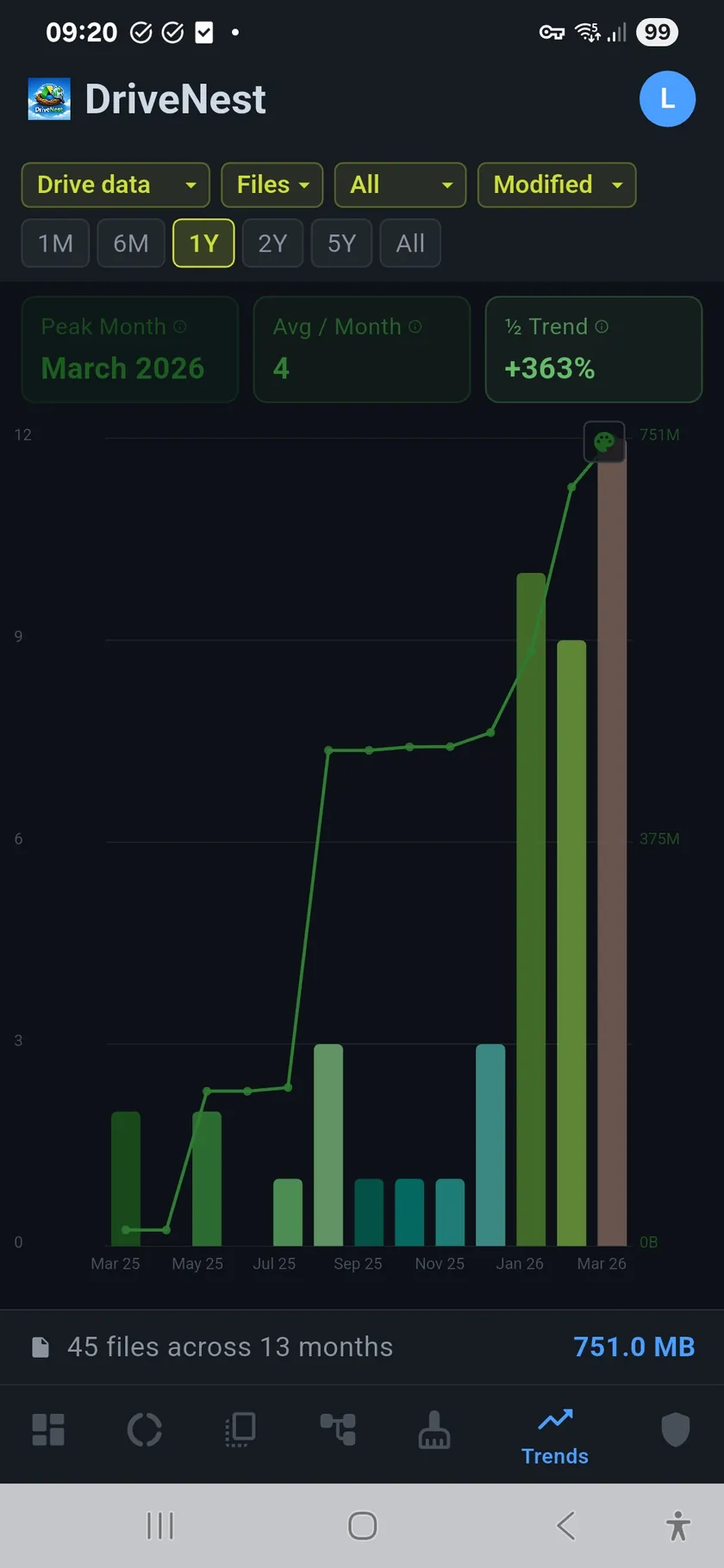
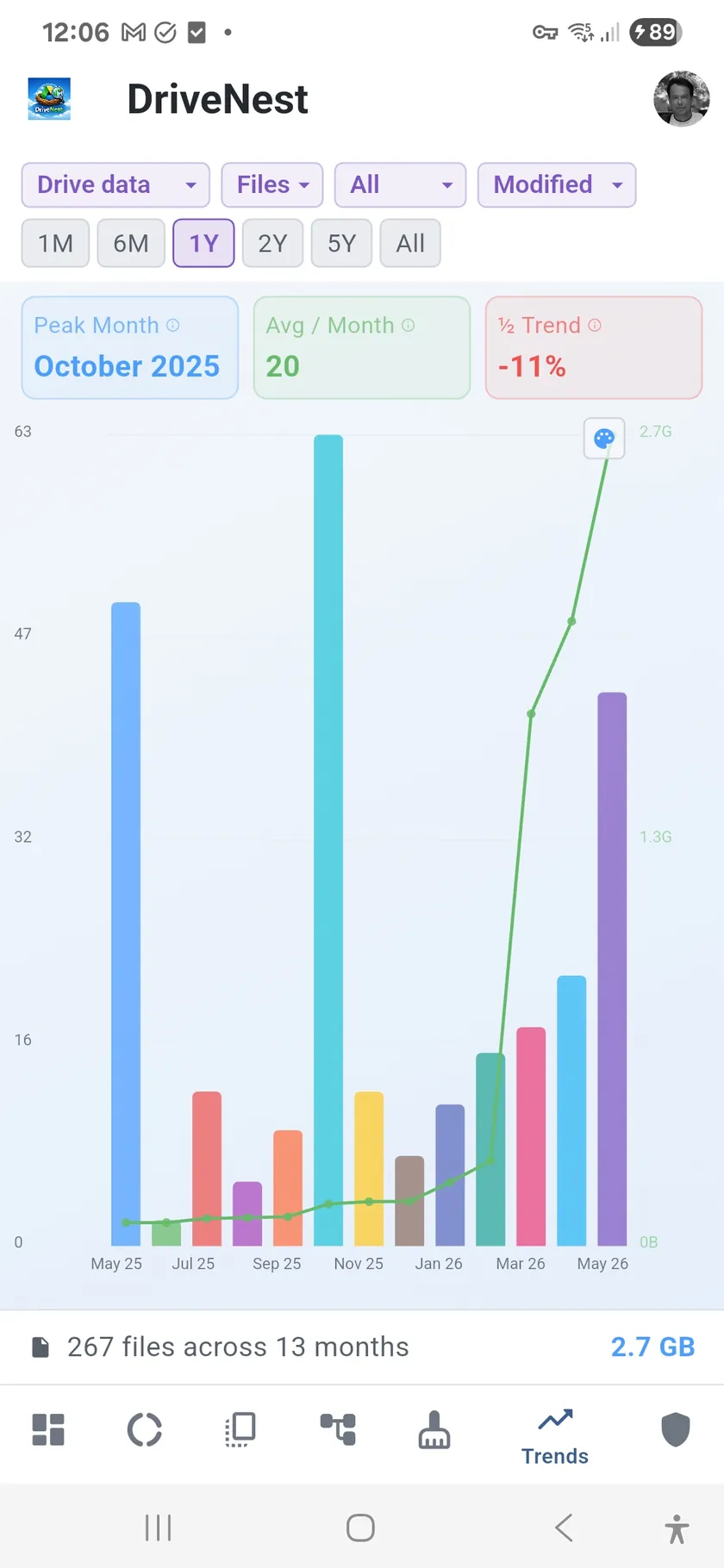
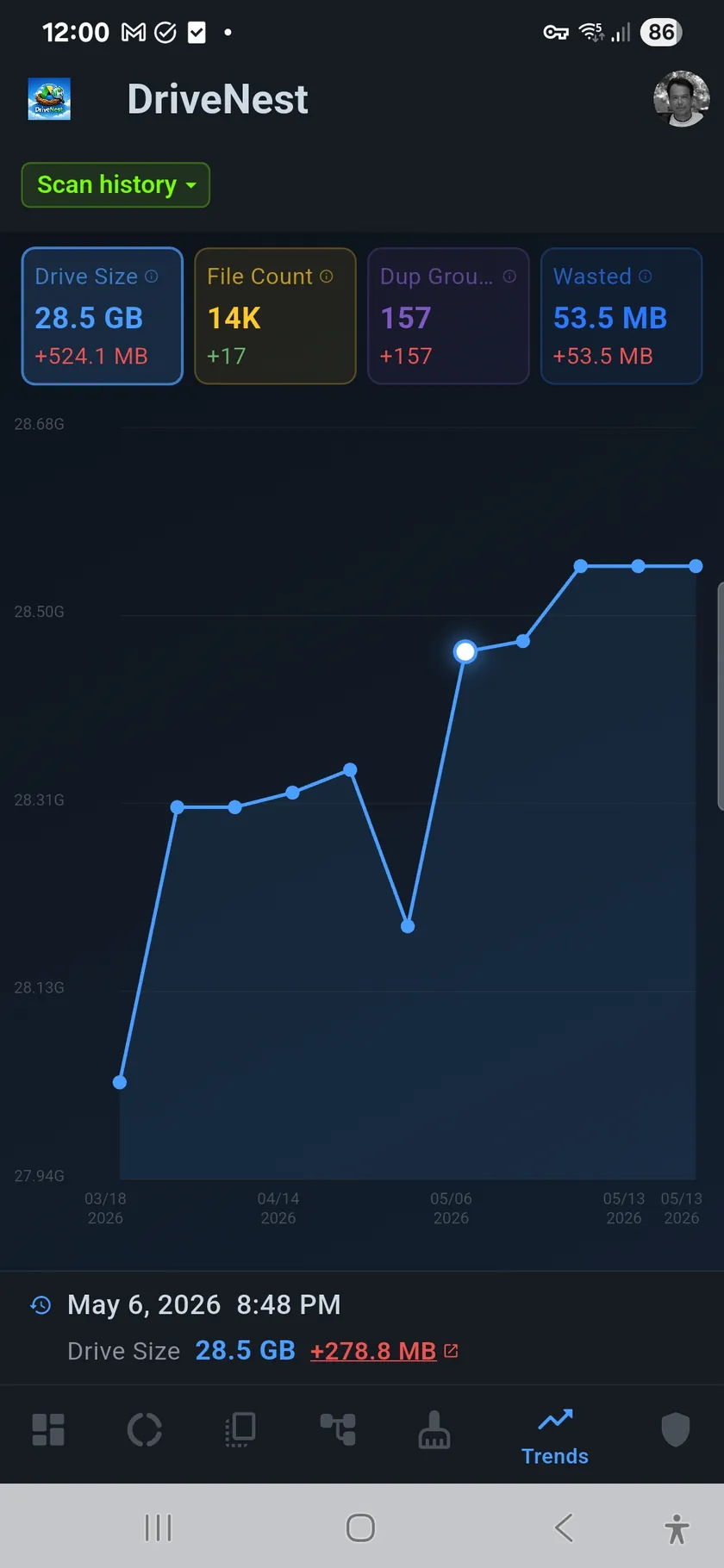
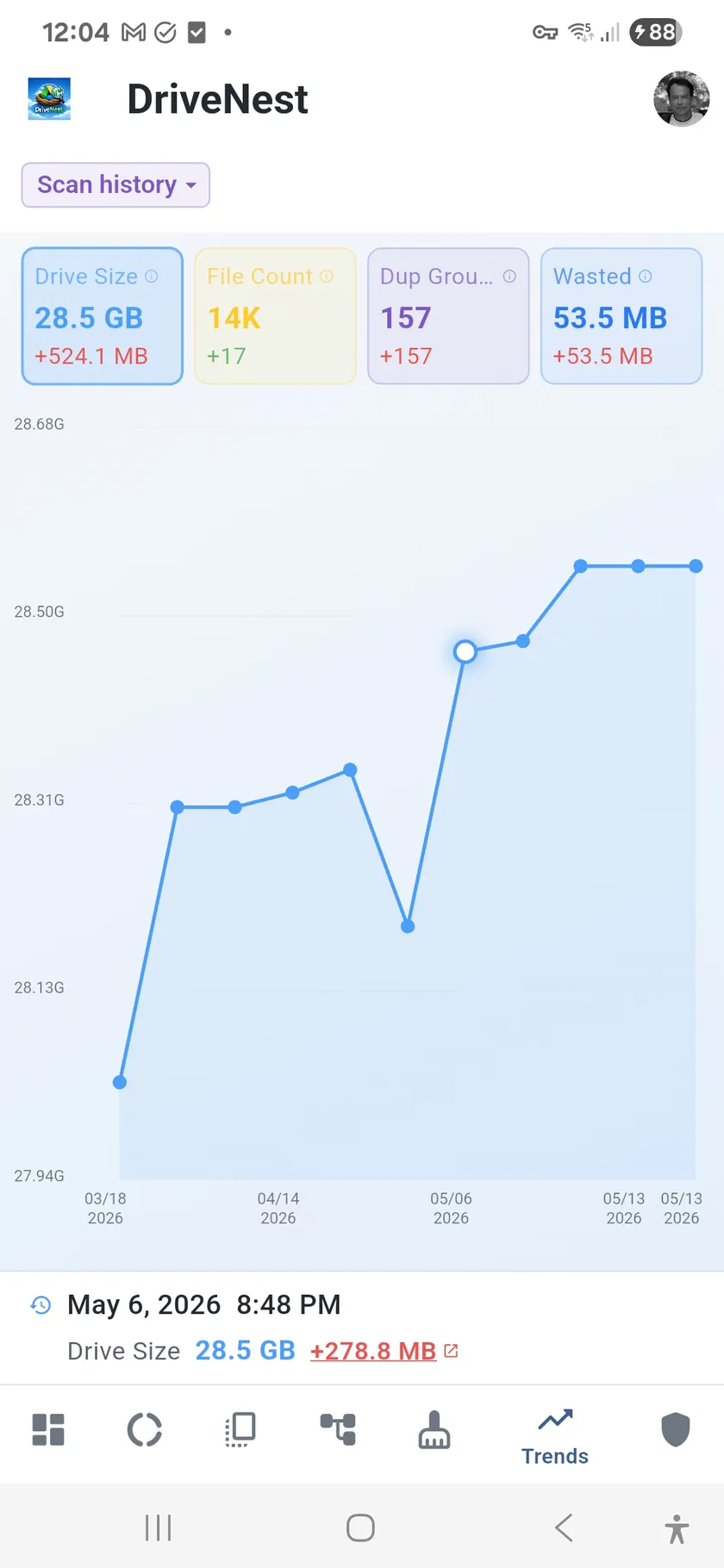
A single scan tells you where you stand today. Trends tell you where you are headed. Each scan is saved as a snapshot, and DriveNest plots them over time as bar charts broken down by month. You can see at a glance whether your storage is growing steadily, spiking suddenly, or holding flat.
Spot the spikes
Did someone dump a batch of large files last November? Did your duplicate count jump after migrating a shared folder? Trend charts make these events visible. Peak month detection highlights the busiest periods automatically, and trend percentages show you the rate of change between scans.
Trends features
- Bar charts by month — storage, file count, and duplicates over time
- Compare scan snapshots — see how your storage changed between any two scans
- Filter by file type — isolate growth by category (images, video, documents, etc.)
- Peak month detection — automatic highlight of the busiest month
- Trend percentage — growth rate shown as a clear up/down indicator
- Scan history — every saved scan contributes to your trend data (Premium and Ultimate)
Better with scheduled scans
File-activity trends — when your files were created and modified — are available on every tier. Scan history needs more than one saved scan: the Free tier keeps only your latest scan, so the scan-history chart, snapshot comparison and the dashboard’s “changes since previous scan” panel come with Premium (up to 20 saved scans) and Ultimate (unlimited). The more scans you save, the richer your data becomes, and with a Premium or Ultimate subscription, scheduled background scans build that history automatically without any manual effort.